
How to Write an Administrator CV: Example + Tips (2026)
Administrators are vital for smooth operations, with skills like organisation, attention to detail, and multitasking. A strong administrator CV should highlight office management, data entry, scheduling, and team support to stand out.

- Our customers have been hired by : *Foot Note
How to write an administrator CV that stands out? Read on to discover a range of valuable resources, including professional admin CV examples for UK jobs and straightforward guides to writing an administrator’s CV that make the process easier.
Smarter writing with built-in AI
Get instant, high-quality text suggestions tailored to your specific industry.
SEARCH ALL CV EXAMPLES
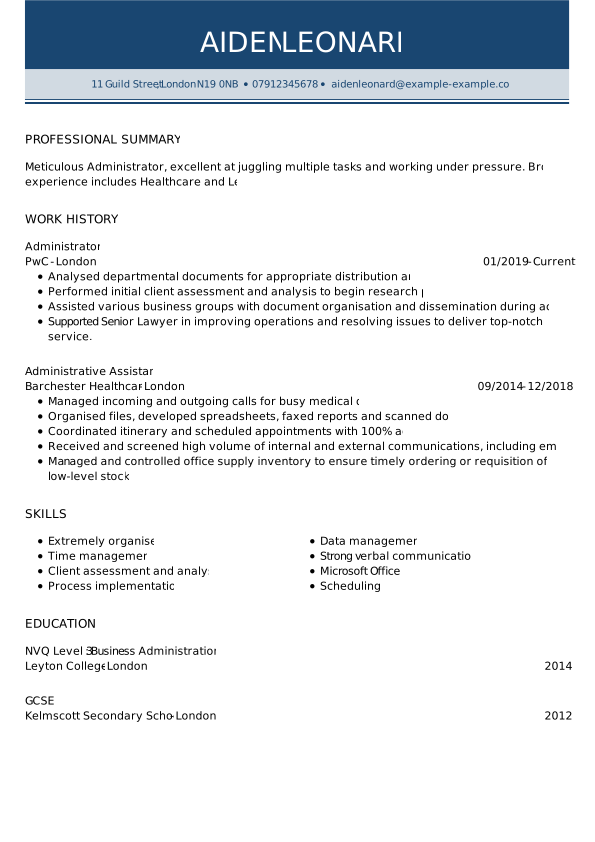
Administrator CV example
Eileen Green
Administrator
London, UK
Phone: 07943 738475
eileen.green@example.com
linkedin.com/in/eileengreen
Personal Profile
Highly organised and reliable Administrator with over 6 years of experience supporting busy offices and senior teams. Skilled in managing day-to-day administrative operations, coordinating schedules, handling documentation, and providing excellent customer service. Known for strong attention to detail, effective communication, and the ability to prioritise multiple tasks in fast-paced environments. Seeking to contribute to the smooth and efficient running of Lylo Corp.
Work Experience
Senior Administrator
Brightway Solutions Ltd, London
June 2019–Present
- Oversee daily administrative operations for a growing professional services office of 40+ staff.
- Manage diaries, meetings, and travel arrangements for senior managers, ensuring efficient scheduling and follow-ups.
- Prepare reports, presentations, and correspondence, maintaining a high level of accuracy and confidentiality.
- Coordinate office supplies, facilities, and external suppliers, reducing operational costs by 15%.
- Act as the first point of contact for clients and visitors, delivering a professional and welcoming experience.
Administrator
Oakfield Services, London
August 2016–June 2019
- Provided comprehensive administrative support to multiple departments in a busy office environment.
- Handled data entry, filing, and document management, improving record accuracy and retrieval times.
- Supported HR with onboarding paperwork, training records, and absence tracking.
- Assisted with invoicing and expense processing, ensuring timely and accurate submissions.
- Answered phones and emails, resolving enquiries efficiently and escalating issues when necessary.
Education
Level 3 Diploma in Business Administration
City of London College
September 2013–July 2015
Skills
- Office administration: managing daily office operations, maintaining efficient workflows, handling correspondence, and ensuring smooth internal processes.
- Diary & meeting management: coordinating complex calendars, scheduling meetings, preparing agendas, taking minutes, and ensuring timely follow-ups.
- Data entry & record keeping: maintaining accurate digital and paper records, updating databases, managing confidential information, and ensuring GDPR compliance.
- Customer service & communication: acting as a professional first point of contact for clients and stakeholders, handling enquiries, and resolving issues efficiently.
- Document preparation: producing and formatting reports, letters, presentations, and spreadsheets with a high level of accuracy and attention to detail.
- Time management & organisation: prioritising multiple tasks, meeting tight deadlines, and adapting quickly in fast-paced office environments.
- Attention to detail: ensuring accuracy across documentation, data handling, and administrative processes to minimise errors and maintain high standards.
- IT & office systems: proficient in Microsoft Office (Word, Excel, Outlook), including document formatting, spreadsheet management, and email coordination.
Certifications
- Level 2 Certificate in Business and Administration, 2015
- Data Protection and GDPR Awareness Training, 2020
Languages
- English – Native
- German – Fluent
- French – Fluent
Administrator CV templates
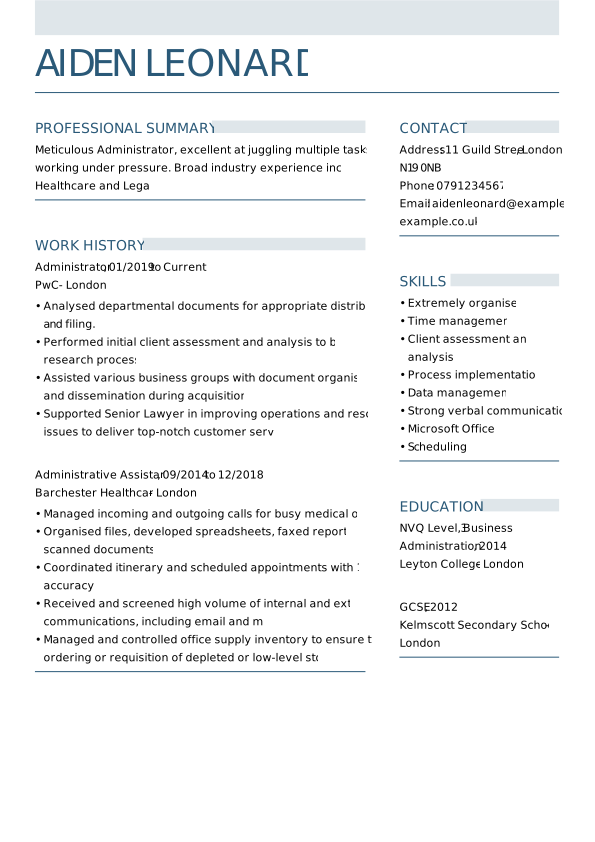
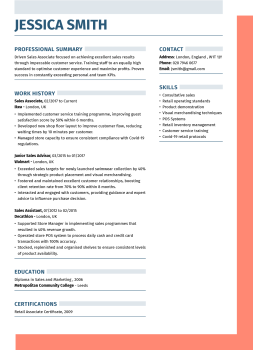
Writing a perfect administrator CV starts with finding the right layout. A well-designed CV template simplifies proving your achievements, background, and administrative skills to your potential employer. Our UK admin job CV templates can pass ATS scans, remain clear and professional, and are 100% effective.
How to write an administrator CV – video guide
Here is a video which tells you everything you need to know in order to make a great administrator CV. Underneath it, you’ll find our written step-by-step guide.
Best format for your administrator CV
To make a strong first impression, clearly and professionally present your administrative skills and experience. A well-organised admin CV makes your information easy to navigate and creates a positive visual impression, capturing the attention of hiring managers.
While there are various CV formats, I recommend two main options:
- The reverse-chronological CV is often the best choice for administrator roles. This format highlights your work history, beginning with your most recent role and working backwards. It’s ideal for showcasing your career progression in administrative roles, making your experience easy for employers to see.
- A skills-based CV focuses on your relevant skills rather than your experience. This format is helpful if you’re new to administration. Focusing on your strengths instead of specific job titles highlights your potential to succeed in an administrative role.
How to write an administrator CV
After choosing the right CV format, focus on key details to make your administrative CV stand out. The upcoming sections cover contact info to work experience, and education. By the end, you’ll be ready to create a CV that sets you apart.
1. Include contact details in your administration CV
It may seem simple, but some candidates forget to include their most up-to-date contact details at the top of their CVs, which can lead to missed opportunities.
Be sure to include the following details:
- Full name
- Job title
- Location
- Phone number
- Email address
To make sure employers can easily contact you, double-check that all your contact details are accurate before submitting your application. For improved visibility, consider using a slightly larger or bolder font in this section.
Example: administrator CV header
Eileen Green
Administrator
London, UK
Phone: 07943 738475
eileen.green@example.com
linkedin.com/in/eileengreen
2. Open your administrator CV with a strong personal statement
Your personal statement is like the front desk of your CV: it’s the first impression that sets the tone for everything that follows. This is your chance to showcase your organisational strengths, professionalism, and reliability, reassuring employers that you can keep their operations running smoothly. Make it clear, confident, and well-structured, and they’ll want to read on.
Here’s what to keep in mind when crafting your personal statement:
- Begin with an action verb and a job title.
- Keep it short: around 50 words or 3 to 4 sentences.
- Highlight your strengths in organisation, communication, and time management.
- Refer to key job requirements from the description and include a few in your statement.
- Include at least one relevant metric or achievement.
Administrative CV personal profile example
Highly organised and reliable Administrator with over 6 years of experience supporting busy offices and senior teams. Skilled in managing day-to-day administrative operations, coordinating schedules, handling documentation, and providing excellent customer service. Known for strong attention to detail, effective communication, and the ability to prioritise multiple tasks in fast-paced environments. Seeking to contribute to the smooth and efficient running of Lylo Corp.
3. Create a strong experience section in your administrator CV
Work experience is a key factor in hiring decisions, especially for administrative roles where organisation and efficiency are essential.
Here’s how to do it right:
- State your job title, company name and location, and dates.
- Structure this section with bullet points to describe your achievements, not only responsibilities.
- Include some quantifiable achievements in your work history. That way, you’ll demonstrate your understanding of the impact of your work.
- Try to cover a broad range of duties to showcase your entire skill set. If you’ve mentioned “answering calls” in one role, try highlighting other administrative tasks, such as “managing office supplies” or “preparing reports” in another.
- Use action verbs like “organised”, “coordinated”, and “processed” to make your experience sound more results-driven. These specifics will help you create a more robust CV.
Ask yourself if a job is recent and relevant before including it. Omit old roles that no longer match your skills or don’t show transferable administrative skills, unless they’re relevant to the position.
Administrator CV work experience example
Senior Administrator
Brightway Solutions Ltd, London
June 2019–Present
- Oversee daily administrative operations for a growing professional services office of 40+ staff.
- Manage diaries, meetings, and travel arrangements for senior managers, ensuring efficient scheduling and follow-ups.
- Prepare reports, presentations, and correspondence, maintaining a high level of accuracy and confidentiality.
- Coordinate office supplies, facilities, and external suppliers, reducing operational costs by 15%.
- Act as the first point of contact for clients and visitors, delivering a professional and welcoming experience.
4. Highlight your education on a CV for an administrator
Your education section is the foundation of your CV: it displays the formal training and essential knowledge supporting your administrative skills. This is where you highlight relevant qualifications, courses, and certifications that showcase your understanding of office systems, business processes, and professional standards.
Keep it clear and relevant, and let it bolster your readiness for the role. For most administrator positions, a strong secondary education (like GCSEs or equivalent) is often sufficient. Still, additional certifications, such as Microsoft Office Specialist (MOS) or the Certified Administrative Professional (CAP), can give you an advantage.
Here’s what to include:
- The name of the school, college, or university where you studied
- Start and end dates of your study
- The subjects or courses you studied
- The level of qualification (e.g., diploma, A-levels, degree)
- The result of your qualification (optional, but it’s worth including if it’s a strong grade)
Example of an education section for an administrator CV
Level 3 Diploma in Business Administration
City of London College
September 2013–July 2015
5. Show relevant admin skills on a CV
Every efficient office depends on clear systems and processes, and every strong admin job CV should include a well-crafted skills section. This is where you highlight the abilities that make you a dependable administrator and a valuable support to any team. Be sure to include both hard and soft skills; focusing on only one can make this section seem unbalanced.
Hard Skills
- Office administration & procedures
- Diary & meeting management
- Data entry & record keeping
- Document preparation & reporting
- IT & office systems
- Filing & document management
- Customer service & reception support
- Scheduling & coordination
Soft Skills
- Organisation & time management
- Communication skills
- Attention to detail
- Problem-solving & initiative
- Reliability & professionalism
- Adaptability & flexibility
- Team collaboration
- Confidentiality & discretion
6. Add bonus sections to your administrator CV
A standard administrator CV covers experience, education, and skills, but a standout CV includes extra sections that showcase professionalism, commitment, and added value. These details demonstrate reliability, initiative, and a broad skill set, making you more than just competent.
Here are some bonus sections you can add:
- Certifications and training: List relevant courses such as Business Administration qualifications, GDPR and data protection training, Health & Safety, First Aid, or software training (e.g. Excel or CRM systems).
- Awards and recognition: Include any internal awards, performance recognition, or commendations for reliability, efficiency, or customer service.
- Professional memberships: Mention membership in administrative, business, or industry-related organisations to show engagement with your profession.
- Languages: Add any additional languages with proficiency level, especially useful in customer-facing or international office environments.
- Projects and improvements: Highlight involvement in office moves, system rollouts, or process improvements that increased efficiency or organisation.
- Publications or communications: Note contributions to reports, newsletters, internal communications, or company documentation.
- Volunteer work: Include voluntary administrative work or community involvement that demonstrates organisation and responsibility.
- Hobbies and interests: Only include relevant interests that support your skills, such as event planning or organisational roles.
7. Format your CV for an administrative job correctly
Clear formatting helps your admin CV template make a strong first impression, just like a well-organised office sets the tone for a productive workday. Hiring managers often review many applications in a short time, so a neatly structured CV makes your information easy to scan and understand.
Here are some administrator-focused tips for CV layout and presentation in the UK:
- Keep the right CV length. That’s no more than two pages. Concise, well-selected information is more effective than long blocks of text. For junior or entry-level administrator roles, one page may be sufficient if experience is limited.
- Use a clean, professional font such as Arial, Calibri, or Garamond. Keep body text around 10–12pt, with slightly larger text (14–18pt) for section headings. Avoid decorative fonts—clarity and professionalism matter most.
- Maintain white space by using clear margins and spacing between sections. An uncluttered layout makes your CV easier to read and reflects strong organisational skills.
- Clearly label each section using bold or consistent heading styles so recruiters can quickly find key information such as experience, skills, and education.
- Save and send your CV as a PDF, using a clear and professional file name such as EileenGreen_Administrator_CV.pdf.
Top dos and don’ts for an administrator CV
To make sure your admin job CV looks professional, polished, and fit for purpose, keep these key dos and don’ts in mind:
Adjust your personal statement, skills, and experience to reflect the specific requirements of the job and organisation.
Show how you supported teams, improved processes, or kept operations running smoothly in previous roles.
Make it clear how you manage time, priorities, and information, especially in busy office environments.
Where possible, use numbers to demonstrate impact (e.g. improving efficiency, reducing errors, supporting team capacity).
Avoid photos, date of birth, or unrelated personal information; keep the focus on your professional value.
A cluttered or overly creative design can distract from your experience and skills.
Administrative roles often involve trust, confidentiality, and problem-solving, so make sure these qualities are visible.
Keep your CV current and tailored for each application to ensure accuracy and relevance.
Your administration CV questions answered
How can I tailor my CV for different job applications?
To tailor your CV, adjust the skills and experiences you highlight based on the specific job description. If the role focuses on customer service, emphasise your communication and problem-solving abilities. If it’s more administrative, highlight your organisational skills and proficiency with office software.
Can I include voluntary work or unpaid experience in my CV?
Absolutely! If you’ve done relevant voluntary work, it can add significant value to your CV, especially if you’re transitioning into administration from another field or are light on paid experience. Just make sure to emphasise the skills you used and how they relate to the job you’re applying for, such as “Assisted in event planning and administrative tasks for a local charity, coordinating schedules for over 30 volunteers.”
How can I make my CV stand out for an administrative role?
To make your CV stand out, focus on quantifying your achievements and highlighting specific administrative skills that align with the role you’re applying for. Use action verbs to describe your accomplishments and show measurable impact where possible. For example, “Implemented a new filing system that improved document retrieval time by 40%.” Adding metrics makes your CV more compelling and gives employers a clear idea of your contributions.
What should I do if I don’t have much work experience in administration?
If you’re new to administration, focus on transferable skills from previous roles, such as customer service, time management, and communication. Volunteering or internships are also excellent ways to gain experience. Highlight relevant coursework or certifications as well. For example, “Completed an internship where I assisted in office administration tasks, gaining hands-on experience with office software and data entry.”
Should I include references on my administrator CV?
References are typically not required on your CV unless specified by the employer. However, you can add a line that says “References available upon request” at the end of your CV. Only include references if the job listing specifically asks for them or if you have strong professional references that can vouch for your abilities.
Related Administration CV Examples, Templates, and Samples for 2026
- Monitoring and evaluation officer CV Example
- Finance administrator CV examples
- How to Write an Administrative Assistant CV: Examples
- General assistant CV example
- Scheduler CV Example
- Bank Compliance Officer CV Example
- Personal assistant CV examples UK
- Best Receptionist CV Example & Writing Guide
- Medical receptionist CV examples
- Project support officer CV example

Create your new administrator CV today
We’re here to help you create a standout CV that meets high standards, all in just a few easy steps. Start by exploring a range of CV examples, ready-to-use templates, and expert writing tips designed to guide you. Once you’ve found the perfect inspiration, use our intuitive CV builder to create a personalised document highlighting your unique skills and experience.
*The names and logos of the companies referred to above are all trademarks of their respective holders. Unless specifically stated otherwise, such references are not intended to imply any affiliation or association with myperfectCV.